Best Robot Kits for Kids to Learn Coding (2026)
The best robot kits for kids to learn coding combine a build or activity set with block, Scratch or early text coding so ages about 6 to 12 can see code move a real robot. Parents shopping for a Christmas STEM gift usually want clear age guidance, a path from screen-free buttons to Scratch or Python, and kits that stay useful after the first afternoon. This guide picks five coding robot kits by age and coding style.
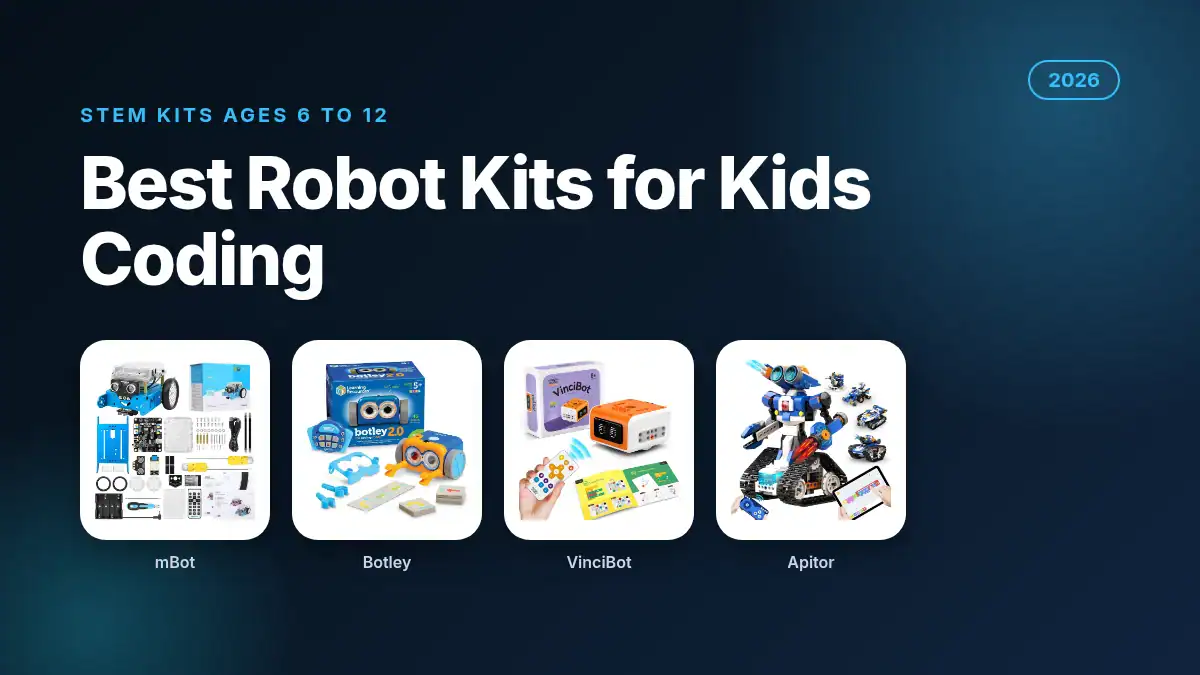
Quick answer: The Makeblock mBot STEM Coding Robot is the best robot kit for kids to learn coding for most families ages 8 to 12. It builds in about 15 minutes, teaches entry electronics and mBlock Scratch-style coding, and costs $69.99 with a 4.6 out of 5 Amazon rating from 2,889 buyers (Nov 6, 2026).
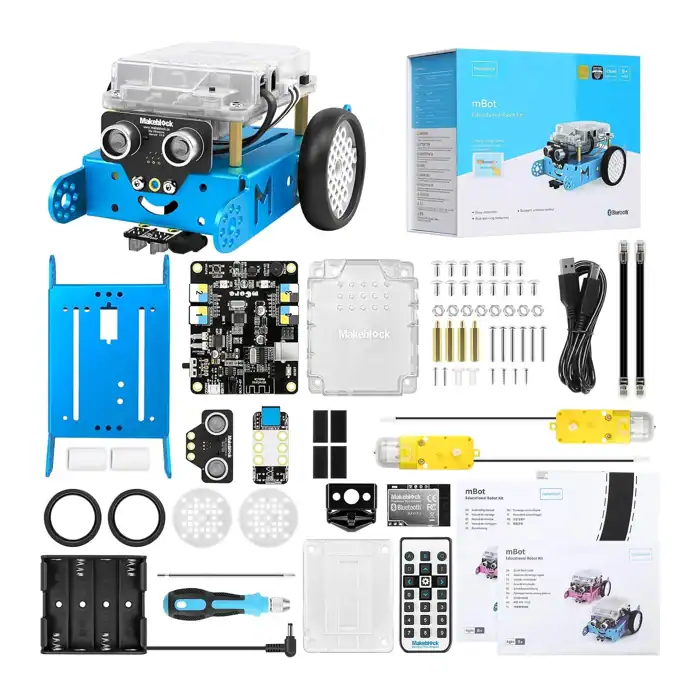
Makeblock mBot STEM Coding Robot
Entry-level STEM coding robot kit for ages 8 to 12. Builds in about 15 minutes and teaches Scratch-style coding through Makeblock software. Rated 4.6 out of 5 by 2,889 Amazon buyers.
| Best For | Most kids 8 to 12 learning coding with a kit |
| Price | $69.99 (Nov 6, 2026) |
| Discount | In Stock on Amazon US today |
| Promotion | Scratch-style mBlock path; ~15 minute build |
What are the best robot kits for kids to learn coding in 2026?
The best robot kits for kids to learn coding in 2026 are the Makeblock mBot for most ages 8 to 12, Botley 2.0 for screen-free starters, VinciBot for Scratch and Python, Apitor 6-in-1 for multi-model building, and the Code and Go Robot Mouse for younger early coders who need a gift under hard tablet time.
| Coding robot kit | Coding style | Best for | Ages (listed) | Price (Nov 6, 2026) | Amazon rating | Our score |
|---|---|---|---|---|---|---|
| Makeblock mBot (best overall) | mBlock / Scratch-style | Most kids 8 to 12 building their first kit | 8 to 12 | $69.99 | 4.6 (2,889 ratings) | 4.7 / 5 |
| Botley 2.0 (best screen-free) | Button remote coding | Ages 5+ without a tablet requirement | 5+ | $63.44 | 4.4 (439 ratings) | 4.5 / 5 |
| VinciBot (best Scratch + Python) | Scratch and Python | Kids ready for app coding and sensors | 8 to 12 | $99.99 | 4.3 (128 ratings) | 4.4 / 5 |
| Apitor 6-in-1 (best multi-build) | Icon-based app | Builders who want six models from one box | 8 to 12 | $59.99 | 4.7 (317 ratings) | 4.3 / 5 |
| Code and Go Robot Mouse (best early ages) | Screen-free sequencing | Ages 4+ learning first coding steps | 4+ | $40.90 | 4.4 (2,647 ratings) | 4.2 / 5 |
What age should start a coding robot kit?
Ages about 4 to 7 do best with screen-free sequencing toys like Botley 2.0 or the Code and Go Robot Mouse. Ages about 8 to 12 are ready for Scratch-style build kits such as mBot, VinciBot or Apitor. Match reading level and tablet rules, not the biggest box under the tree.
For a ready-to-roll coding robot aimed at ten-year-olds (Dash, mBot2, Sphero and more), see our best coding robot for 10 year old guide. Younger STEM shelves also live in our best electronic learning toys for kids and best electronic learning toys for 3 year olds roundups.
Which robot kits should you buy for kids to learn coding?
Buy the Makeblock mBot for most ages 8 to 12, Botley 2.0 when you want screen-free coding, VinciBot when Scratch and Python matter, Apitor 6-in-1 when one box should become six builds, and the Code and Go Robot Mouse for preschool and early-elementary gifts.
1. Makeblock mBot (Best Overall)
The Makeblock mBot is the classic first coding robot kit for ages 8 to 12. Bullets describe an entry-level educational robot for electronics and programming, a build that can be finished in about 15 minutes with clear instructions, and a path into Scratch-style coding through Makeblock software. The kit we checked was $69.99 and In Stock, with a 4.6 out of 5 rating from 2,889 buyers.
Good to know: mBot is a build-and-code kit, while mBot2 and ready-made bots in our 10-year-old guide skip some of the screwdriver time. Plan adult help for the first build, then let the child own the coding challenges.
- Price: $69.99 (Nov 6, 2026), In Stock
- Amazon rating: 4.6 out of 5 (2,889 ratings)
- Best for: most kids 8 to 12 learning coding with a real kit
2. Botley 2.0 The Coding Robot (Best Screen-Free)
Botley 2.0 is the screen-free pick for kids about 5 and up who should learn sequencing before a coding app. Bullets describe STEM confidence for early learners, ready-set coding with batteries and a screwdriver, and a friendly robot that runs without a tablet. The unit we checked was $63.44 and In Stock from Amazon, with a 4.4 out of 5 rating from 439 buyers.
Good to know: screen-free does not mean zero setup. Have AAA batteries and a Phillips screwdriver ready on Christmas morning so the first program is not delayed by a store run.
- Price: $63.44 (Nov 6, 2026), sold by Amazon.com, In Stock
- Amazon rating: 4.4 out of 5 (439 ratings)
- Best for: ages 5+ coding without a required tablet
3. VinciBot (Best Scratch and Python)
VinciBot is the app-forward kit when a child is ready for Scratch and a path toward Python. Bullets describe coding play with sensors and modes, easy start options such as line following and drawing, and STEM learning for ages about 8 to 12. The kit we checked was $99.99 and In Stock, with a 4.3 out of 5 rating from 128 buyers.
Good to know: plan for a compatible tablet or computer for the coding app. If the child still needs purely screen-free play, choose Botley or the Robot Mouse instead.
- Price: $99.99 (Nov 6, 2026), In Stock
- Amazon rating: 4.3 out of 5 (128 ratings)
- Best for: Scratch and early Python-minded kids 8 to 12
4. Apitor 6-in-1 STEM Coding Robot (Best Multi-Build)
The Apitor 6-in-1 kit is the builder pick: 480 blocks, six models, and an icon-based app for loops and coding play. Bullets describe multi-model STEM building for boys and girls about 8 to 12 and learning coding through an intuitive app interface. The kit we checked was $59.99 and In Stock from Amazon, with a 4.7 out of 5 rating from 317 buyers.
Good to know: more pieces mean more floor space and more adult help on the first model. If you want one robot that stays assembled, mBot or VinciBot may frustrate less than a six-model rebuild cycle.
- Price: $59.99 (Nov 6, 2026), sold by Amazon.com, In Stock
- Amazon rating: 4.7 out of 5 (317 ratings)
- Best for: kids who love building multiple robots from one box
5. Code and Go Robot Mouse (Best Early Ages)
The Learning Resources Code and Go Robot Mouse is the early-ages gift for sequencing without a screen. Bullets describe screen-free coding practice for problem-solving and early robot coding, and a design aimed at young coders ages 4 and up. The set we checked was $40.90 and In Stock from Amazon, with a 4.4 out of 5 rating from 2,647 buyers.
Good to know: this is an activity set, not a programmable Scratch robot. Step up to Botley, mBot or VinciBot when the child outgrows card-and-mouse mazes. For Christmas budget planning across siblings, see our christmas spending per child guide and best gifts for kids list.
- Price: $40.90 (Nov 6, 2026), sold by Amazon.com, In Stock
- Amazon rating: 4.4 out of 5 (2,647 ratings)
- Best for: ages 4+ first coding gifts
How should you pick a coding robot kit by age and screen time?
Pick screen-free sequencing for ages about 4 to 7, then move to build kits with Scratch-style apps around ages 8 to 12. If the house already limits tablets, start with Botley or the Robot Mouse. If the child already codes in Scratch at school, jump to mBot or VinciBot so the kit matches classroom language.
Coding robot kit picker (our guide, based on listed ages and coding modes):
| Age band | Kit type that fits | Screen tip | Build tip | Coding next step |
|---|---|---|---|---|
| About 4 to 7 | Screen-free mouse or Botley | Prefer no tablet on Christmas morning | Activity cards and mazes beat tiny screws | Step up to Botley challenges, then a Scratch kit |
| About 8 to 12, first kit | Makeblock mBot or Apitor 6-in-1 | Plan a shared tablet or computer for the app | Adult help for the first 15 to 30 minute build | Scratch challenges, then sensors and loops |
| About 8 to 12, ready for text path | VinciBot Scratch and Python | Confirm device compatibility before wrapping | Out-of-box modes help before deep coding | Scratch projects, then intro Python lessons |
How did we choose the best robot kits for kids to learn coding?
We shortlisted build and activity robot kits that teach coding for ages about 4 to 12, then checked each Amazon US listing on November 6, 2026 for price, stock, ratings and coding language. We kept in-stock kits, skipped thin-rating premiums under 50 reviews, and scored age fit, coding path, build clarity and value.
Our scores out of 5 weigh listed age fit, coding path, buyer ratings and price. They are editorial scores based on the listings and public product data, not our own classroom trials. Prices and stock change often, so confirm the live Amazon price before you buy.
Frequently Asked Questions
What are the best robot kits for kids to learn coding?
The Makeblock mBot is the best robot kit for kids to learn coding for most ages 8 to 12, at $69.99 with Scratch-style mBlock coding after a short build. Choose Botley 2.0 for screen-free play, VinciBot for Scratch and Python, Apitor for multi-model building, or the Code and Go Robot Mouse for ages 4+.
What age is best for a coding robot kit?
Ages 4 to 7 fit screen-free sets like the Code and Go Robot Mouse or Botley 2.0. Ages 8 to 12 fit build kits such as mBot, VinciBot and Apitor. Match reading level and tablet rules more than the marketing age alone.
Do coding robot kits need a tablet or computer?
Some do and some do not. Botley 2.0 and the Code and Go Robot Mouse run without a coding tablet. mBot, VinciBot and Apitor use apps or software, so plan a shared device before Christmas morning.
Is Scratch or Python better for kids robot kits?
Scratch-style block coding is the better start for most kids because it shows loops and events visually. Python is a strong next step on kits like VinciBot once Scratch feels easy. Start where the child will finish a first project, not where the hardest language begins.
Are coding robot kits good Christmas gifts?
Yes, when you match age and screen rules and leave time for the first build. Pair the kit with batteries or a screwdriver if needed, and keep a backup gift idea from our best gifts for kids list if the coding path is unsure.