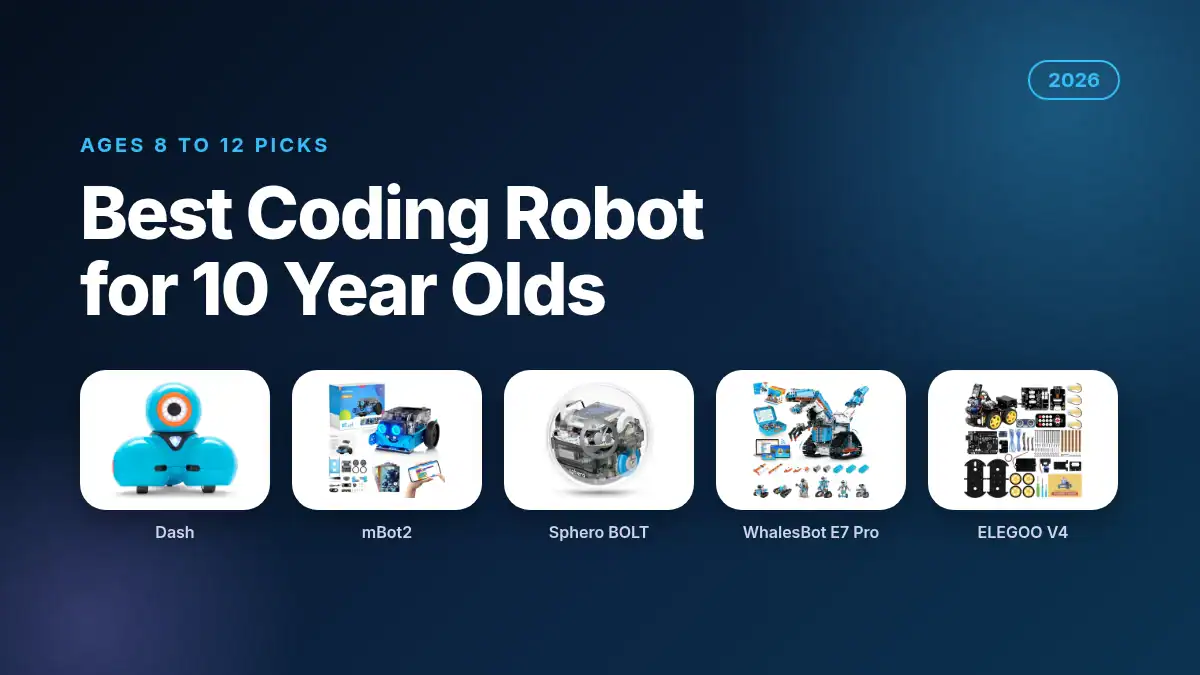
Best Coding Robot for 10 Year Old Kids (2026): 6 Top Picks
Ten is a great age to start coding with a robot. Most 10 year olds can read instructions on their own, follow logic like loops and if-then rules, and they are just starting to want “real” programming. The best coding robot for 10 year old kids meets them there: easy enough to get a win in the first hour, with enough depth to grow into typed code like Python.
Last updated: October 25, 2026. By Chris, editor of Toy Hobbyist, who researches STEM and learning toys for the site. We compared the most popular coding robots on Amazon for ages 8 to 12 on coding languages, build time, sensors, battery life, buyer ratings and price. Prices, ratings and stock were checked on Amazon on October 25, 2026.
Quick answer: For most 10 year olds, the Wonder Workshop Dash is the best coding robot. It works straight out of the box, teaches block coding through hundreds of app challenges, is used in 40,000+ schools and has a 4.6 out of 5 from 2,259 Amazon ratings. If your child wants to build the robot and move up to Python, get the Makeblock mBot2 instead.
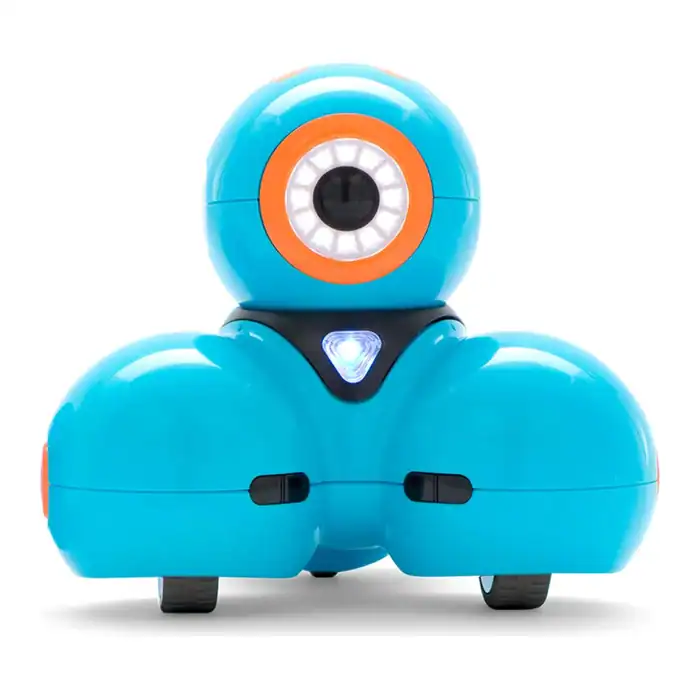
Wonder Workshop Dash Robot
A ready-to-go coding robot that needs no assembly. Kids code Dash with five free apps to sing, dance, dodge obstacles and respond to voice commands, learning loops, sequencing and variables along the way. Used in 40,000+ schools.
| Best For | 10 year olds who are new to coding |
| Price | $179.99 (Oct 25 2026) |
| Discount | Ships from Amazon |
| Promotion | Rated 4.6 out of 5 by 2,259 Amazon buyers |
What is the best coding robot for a 10 year old in 2026?
The best coding robot for a 10 year old is the Wonder Workshop Dash ($179.99) for kids new to coding, and the Makeblock mBot2 (about $160) for kids ready for Python. Sphero BOLT suits game lovers, WhalesBot E7 Pro suits builders, ELEGOO’s robot car suits tinkerers, and Sillbird is the best budget kit at $59.99.
| Coding robot | Best for | Coding languages | Build needed? | Price (Oct 25 2026) | Amazon rating | Our score |
|---|---|---|---|---|---|---|
| Wonder Workshop Dash | Best overall | Blockly blocks in 5 free apps | No | $179.99 | 4.6 (2,259) | 4.7 / 5 |
| Makeblock mBot2 | Best for learning Python | Scratch blocks and Python | Yes, about 30 minutes | About $160 | 4.4 (1,163) | 4.6 / 5 |
| Sphero BOLT | Best for games and sensors | Draw, blocks, Python and JavaScript | No | About $173 | 4.7 (1,306) | 4.6 / 5 |
| WhalesBot E7 Pro | Best build-your-own kit | Scratch, Python and C | Yes, many models | $199.99 | 4.3 (52) | 4.4 / 5 |
| ELEGOO Smart Robot Car V4 | Best for future engineers | Arduino (C++) | Yes, with wiring | About $66 | 4.5 (4,496) | 4.4 / 5 |
| Sillbird STEM Robot Kit | Best budget | App path and simple programming | Yes, 488 pieces | $59.99 | 4.6 (2,105) | 4.3 / 5 |
“About” prices are for robots whose Amazon price changes often between sellers. Check the current price with the button under each robot.
How did we choose these coding robots?
We looked at coding robots that Amazon lists for ages 8 and up, then kept only those with strong ratings, a real coding path and a price of at least about $40. Each robot was compared on how a 10 year old starts coding with it, how far it can grow, build time, sensors, battery and price.
Our scores are editorial ratings out of 5. They weigh how well the robot teaches real coding concepts most heavily, then how long a 10 year old is likely to stay interested, then build quality feedback and value. We left out robots made mainly for preschoolers, like Botley, because most 10 year olds outgrow them fast.
Which coding robot should you buy for a 10 year old?
Buy Dash if your child has never coded and you want a robot that works the minute it is charged. Buy mBot2 if they like building and want to try Python. Choose Sphero BOLT for game-style coding, WhalesBot for big builds, ELEGOO for real electronics and Sillbird if you want to stay near $60.
1. Wonder Workshop Dash (Best Overall)
Dash is the easiest way to get a 10 year old coding today. There is nothing to assemble: charge it, open one of the five free apps on an iPhone, iPad, Android or Fire tablet, and your child can make Dash sing, dance, navigate obstacles and respond to voice commands. Along the way they learn sequencing, loops, algorithms and variables.
Wonder Workshop says Dash is used in more than 40,000 schools, and the Blockly app lets kids move from simple drag-and-drop puzzles to more complex programs. It runs up to 5 hours on a charge, has no camera, and includes two building brick connectors so kids can attach LEGO creations. Amazon lists it for ages 6 to 11, so it fits a 10 year old who is new to coding best.
Pros:
- No assembly, coding starts in minutes
- Five free apps with structured challenges
- Used in 40,000+ schools, rated 4.6 from 2,259 buyers
- Up to 5 hours of play per charge
Cons:
- Confident coders may outgrow it by 11 or 12
- Needs a compatible tablet or phone
2. Makeblock mBot2 (Best for Learning Python)
The Makeblock mBot2 is the best coding robot for a 10 year old who wants to go further. Kids build it themselves in about 30 minutes, then code it with Scratch-style blocks and later switch to Python, the same language used in many middle school and high school computer science classes.
It comes with 10+ sensors for line following, obstacle avoidance and color detection, works with 30+ add-on modules, and includes four coding project cards plus 24+ cases and 8+ courses. Amazon lists it for ages 8 to 14 and it holds a 4.4 out of 5 from 1,163 ratings. Its last listed price is around $160, but stock moves between sellers, so check before you buy.
Pros:
- Clear path from block coding to Python
- 10+ sensors and room to expand with modules
- Kids learn how a robot fits together
Cons:
- Needs a parent nearby for the first build
- Price and stock change often
3. Sphero BOLT (Best for Games and Sensors)
Sphero BOLT is a clear, waterproof robot ball with a programmable LED matrix inside. Kids code it in the Sphero Edu app three ways: by drawing a path, with blocks, or with typed Python and JavaScript. That makes it one of the few robots here that can take a 10 year old from simple drawing to text code in one app.
Its sensors detect light, direction and speed, and kids can program animations and messages on the LED matrix, which is great for games and races. It charges inductively, runs 4+ hours, and is rated 4.7 out of 5 from 1,306 Amazon ratings, the highest rating in this guide. Amazon prices vary by seller, recently around $173.
Pros:
- Draw, blocks, Python and JavaScript in one app
- Programmable LED matrix and sensors
- Waterproof shell with wireless charging
Cons:
- Nothing to build, so less engineering
- Price swings a lot between sellers
4. WhalesBot E7 Pro (Best Build-Your-Own Kit)
The WhalesBot E7 Pro is for kids who love building as much as coding. It includes a smart controller, sensors, motors and five types of transmission parts, so a 10 year old can build many different robot models, then program them with Scratch, Python or C. The app shows 3D building guides and structured challenges.
It also includes three storybooks that explain the science behind each build, which helps kids who like to work independently. At $199.99 it is the most expensive robot here, and it has fewer ratings than the others (4.3 out of 5 from 52), but it offers the widest coding range, from blocks all the way to C.
Pros:
- Many buildable models from one kit
- Scratch, Python and C coding
- 3D build guides and storybooks for independent learning
Cons:
- Highest price in this guide
- Fewer buyer ratings so far
5. ELEGOO Smart Robot Car Kit V4 (Best for Future Engineers)
The ELEGOO Smart Robot Car Kit V4 is a real electronics project. Kids assemble a robot car around an Arduino-compatible UNO R3 board, connect a camera module, ultrasonic sensor and line-tracking sensors, then drive it with the ELEGOO app or an IR remote. Keyed connectors reduce wiring mistakes, and an illustrated tutorial walks through the build step by step.
The car can stream live video from its onboard camera, follow lines and avoid obstacles, and kids can edit the example Arduino code to change how it behaves. It holds a 4.5 out of 5 from 4,496 ratings and has recently sold for around $66. It is rated for ages 8+, but most 10 year olds will want an adult for the wiring and Arduino code.
Pros:
- Teaches real electronics and Arduino code
- Camera, line tracking and obstacle avoidance
- Huge number of ratings for a robot kit
Cons:
- Best with an adult helper at age 10
- Arduino code is harder than block coding
6. Sillbird STEM Robot Building Kit (Best Budget)
The Sillbird STEM Robot Building Kit is a fun, lower-cost way to mix building and simple programming. The 488-piece set builds five models, including a robot, dinosaur, car and tank, and kids control them with a remote or a Bluetooth app that offers basic programming and path driving.
It costs $59.99, is rated 4.6 out of 5 from 2,105 Amazon ratings and is listed for ages 8 to 13. The rechargeable battery gives up to 40 minutes of play per charge. It is more of a building toy with light coding than a full coding robot, so it works best as a first step or a gift for a child who loves building sets.
Pros:
- Lowest price in this guide at $59.99
- Five builds in one box
- App and remote control
Cons:
- Coding features are basic
- About 40 minutes of play per charge
Which coding robot fits your 10 year old?
Match the robot to your child, not just the age on the box. A 10 year old who has never coded needs quick wins, while one who already uses Scratch at school needs a path to typed code. Use this fit table to find the right row, then pick the robot in that row.
| Your 10 year old | Best pick | Why it fits |
|---|---|---|
| Has never coded and wants to play right away | Wonder Workshop Dash | No build, guided app challenges, quick wins |
| Already uses Scratch at school | Makeblock mBot2 | Same block style, then a step up to Python |
| Loves video games and challenges | Sphero BOLT | LED matrix games, races and typed JavaScript or Python |
| Loves LEGO and big builds | WhalesBot E7 Pro | Many models, Scratch to Python to C |
| Takes things apart to see how they work | ELEGOO Smart Robot Car V4 | Real wiring, sensors and Arduino code |
| You want to stay near $60 | Sillbird STEM Robot Kit | Five builds plus simple app programming |
| Gets bored easily | Sphero BOLT or mBot2 | The most room to grow into harder coding |
What should a coding robot for a 10 year old be able to do?
A good coding robot for a 10 year old should teach real concepts like loops, conditions and variables, offer both block coding and a path to typed code, include sensors the child can program, and run at least an hour per charge. It should also feel like play, with games, challenges or builds that keep them coming back.
Block coding (Scratch or Blockly) is the right start for most 10 year olds. Around 10 to 12, many kids are ready to try Python, which is why robots with both options, like mBot2, Sphero BOLT and WhalesBot E7 Pro, last longer. Also check what device the app needs. Most of these robots run on a tablet or phone, and a child-friendly computer helps for Python; see our picks for the best laptop for kids.
How much should you spend on a coding robot for a 10 year old?
Plan to spend $60 to $200 on a good coding robot for a 10 year old. Around $60 buys a building kit with simple app programming, like Sillbird. From $160 to $180 you get a full coding robot like Dash, mBot2 or Sphero BOLT. Around $200 buys a big build-and-code kit like WhalesBot E7 Pro.
If you want something cheaper that still builds STEM skills, our guide to the best electronic learning toys for kids has more options, and LEGO fans may enjoy the ideas in our best LEGO books for kids between coding sessions.
Coding robots FAQ
Is 10 a good age to start coding with a robot?
Yes. Most 10 year olds can read instructions on their own and understand loops and if-then logic, so a coding robot like Dash or mBot2 lets them start with blocks and move to Python as they grow.
Can a 10 year old learn Python with a robot?
Yes. Robots like the Makeblock mBot2, Sphero BOLT and WhalesBot E7 Pro start with block coding and then let kids switch to typed Python, which makes the jump to text code much easier.
Do coding robots need a tablet or computer?
Most do. Dash and Sphero BOLT use apps on a phone or tablet, while mBot2, WhalesBot and ELEGOO also work with a computer for Python, C or Arduino code. Check app compatibility before you buy.
What is the easiest coding robot for a 10 year old?
The Wonder Workshop Dash is the easiest. It needs no assembly, works with five free apps and starts with simple drag-and-drop puzzles, so a 10 year old can code it within minutes of charging it.
Are coding robots worth the money?
Coding robots are worth it for kids who enjoy puzzles, building or games. A robot like Dash ($179.99) or mBot2 (about $160) teaches real coding concepts that carry over to school computer science classes.
Is Sphero BOLT or Dash better for a 10 year old?
Dash is better for a 10 year old who is new to coding because it is easier and more guided. Sphero BOLT is better for kids who already know block coding, since it adds typed Python and JavaScript.